Powerful where it counts. Simple where it matters.
One platform for maintenance, requests, leases, vendors, and compliance — and it imports the history from the system you're leaving, so you go live on your real data instead of a blank slate.
Start with your history, not an empty system.
We import directly from your existing system's Excel exports — work-order history, lease abstracts and clauses, properties, and vendors — as part of onboarding. Every row is validated before anything is saved, so bad data never silently corrupts your reporting.
- Work-order history imported thousands of records at a time, preserving numbers, dates, vendors, and status
- Lease abstracts and clauses, plus property and vendor records created and matched on import
- Problem rows flagged individually, and a safe re-import at go-live that takes a backup snapshot first
- Work-order history
Numbers, dates, vendors, and status preserved — thousands of records at a time.
- Lease abstracts & clauses
Into a modernized version of the abstract layout your team already knows.
- Properties & vendors
Created and matched on import, so assignments and approvals work on day one.
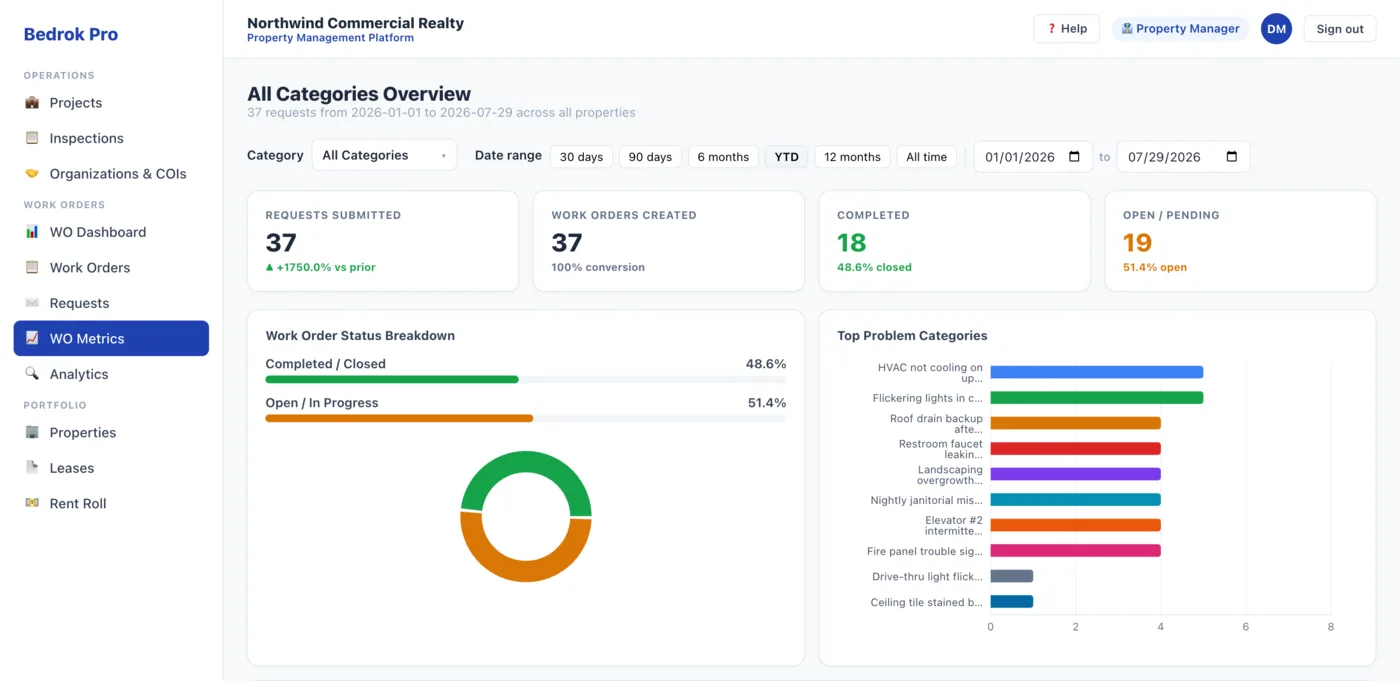
The whole month, at a glance.
KPI tiles, status breakdowns, and response- and completion-time stats update the moment data lands. Every chart is clickable — and deep-links straight into a filtered work-order view.
- Requests, work orders, completed, and open at the top
- Top problems, properties, and vendors as live charts
- Filter by category and period in one click
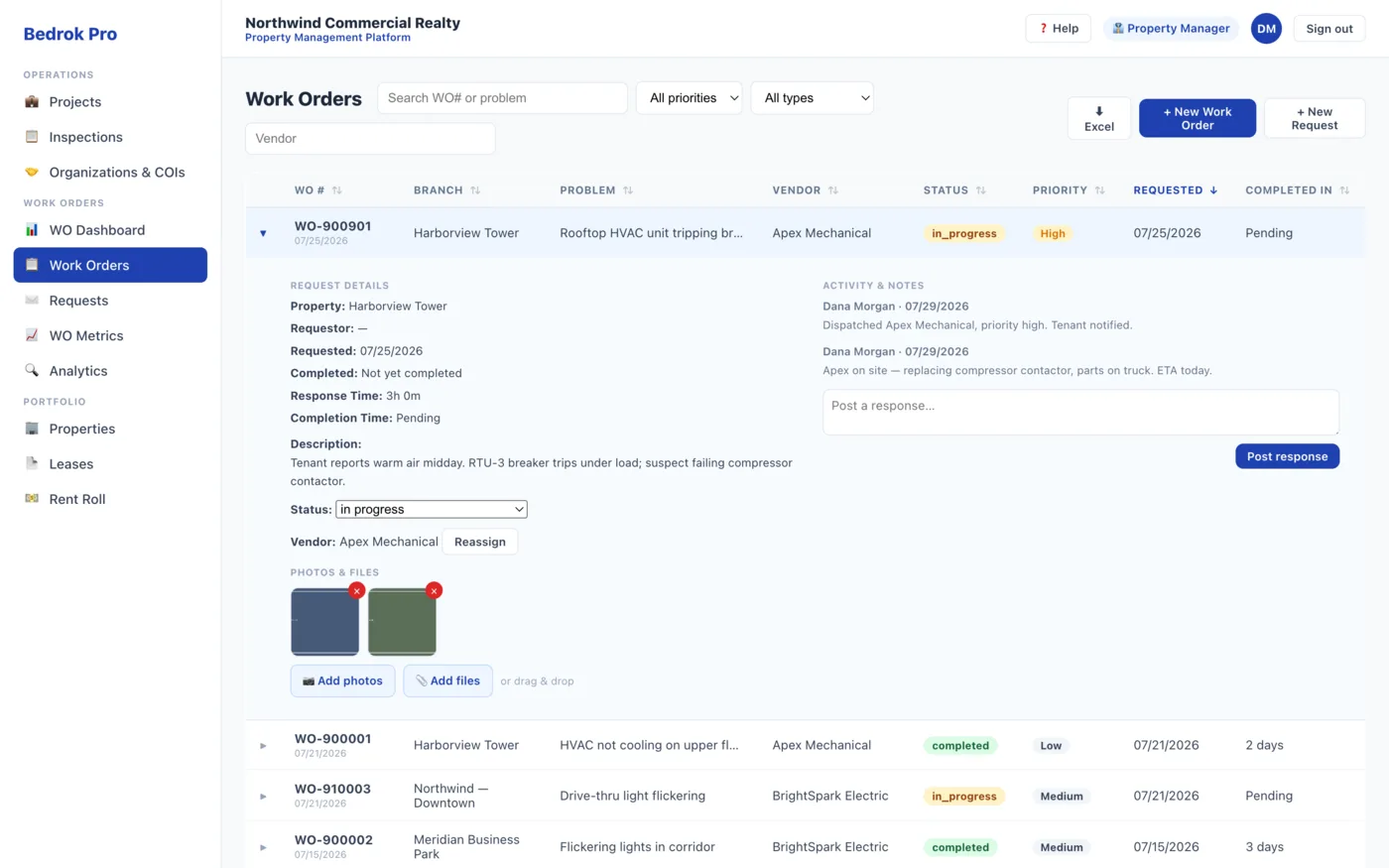
A work-order table that keeps up.
Fast, sortable, filterable, paginated, with full-text search and expandable detail rows. Powerful enough for an ops lead, legible enough for an executive.
- Search across WO#, branch, vendor, and problem
- Dropdown filters for status, vendor, and priority
- Expand any row for full request detail and notes
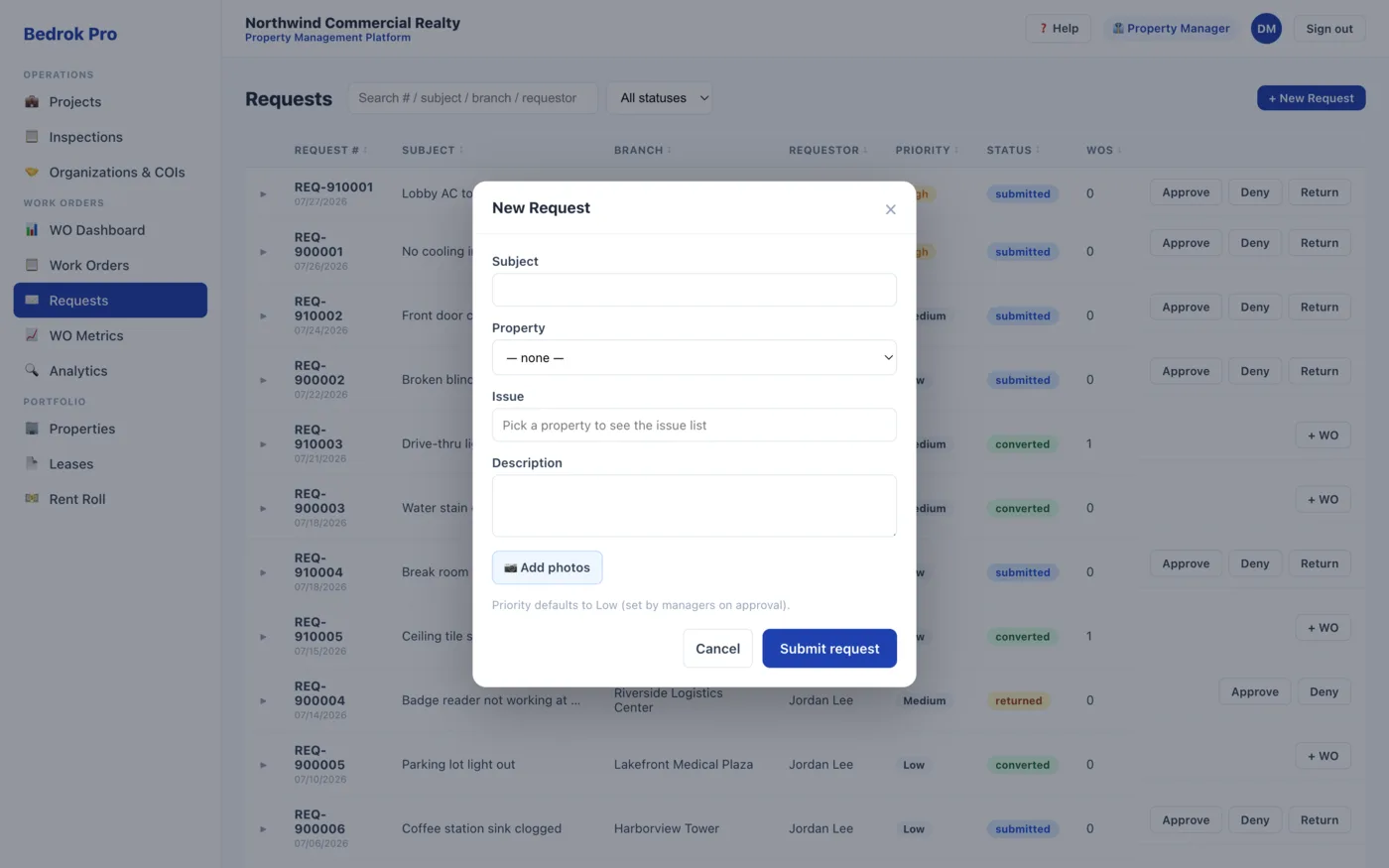
Requests stop living in email.
Tenants and branch staff submit against a per-property issue picklist — a real category, not free text — with photos attached. Property managers review in one place: approve and convert to a work order, return it for more information, or deny it with a reason.
- Per-property issue picklist and photo uploads on submission
- Approve & convert to a work order, return for info, or deny with a reason
- Photos carry over to the work order — and a tenant sees only their own, a branch user only their branch
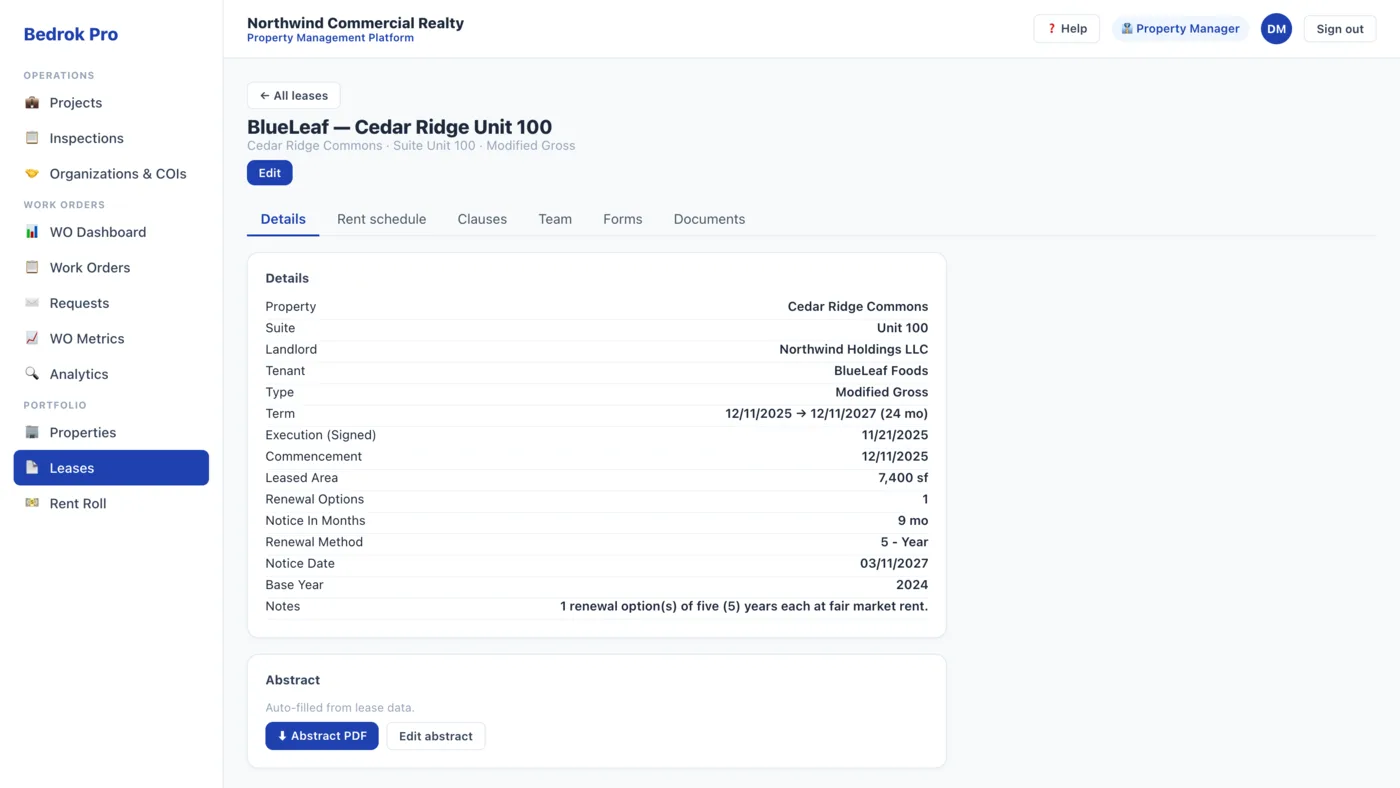
Lease abstracts, modernized — not reinvented.
Full lease records tied to a property and suite, with editable, downloadable abstracts laid out the way your team already reads them: parties, term, financials, clauses, and documents. Rent schedules group by Period, so the original term and every renewal roll up cleanly.
- Rent schedules by Period with per-period and total-lease-value roll-ups
- Renewal options × term, with the notice date auto-calculated from the end date
- Lease documents in an in-app PDF viewer, a portfolio Rent Roll, and suites with occupancy
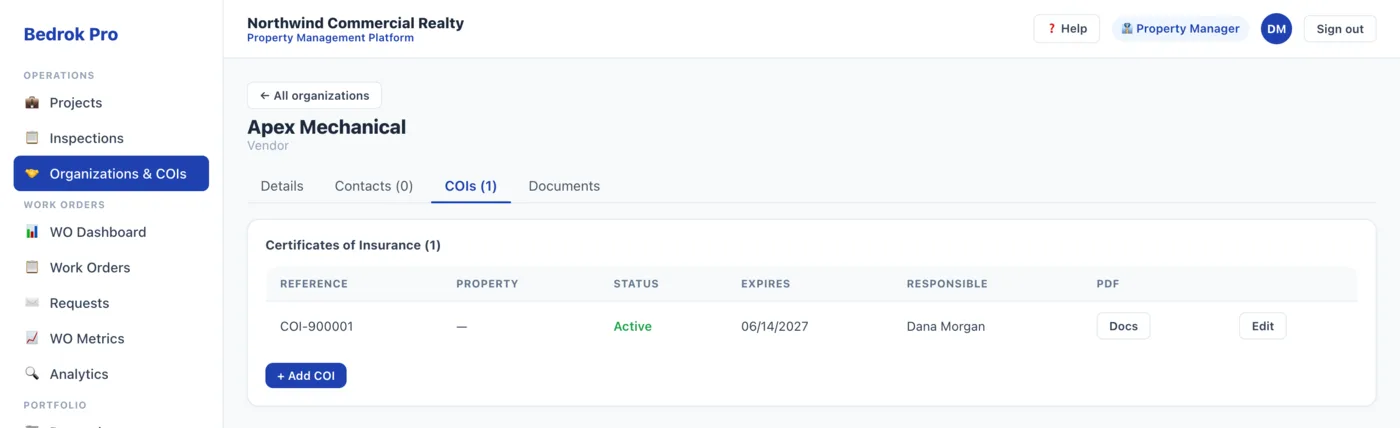
Insured, approved, and on record.
One directory for vendors, landlords, and tenants, with contacts and controlled service categories. Certificates of insurance attach to vendors and properties with expiry alerts, and per-property approved-vendor rules stop an unapproved vendor being assigned where they aren't allowed.
- Certificates of insurance tracked with expiry alerts
- Per-property approved-vendor rules enforced at assignment
- Templated inspections with photo capture and PDF reports — findings spin off project work orders
Insight that holds up over time.
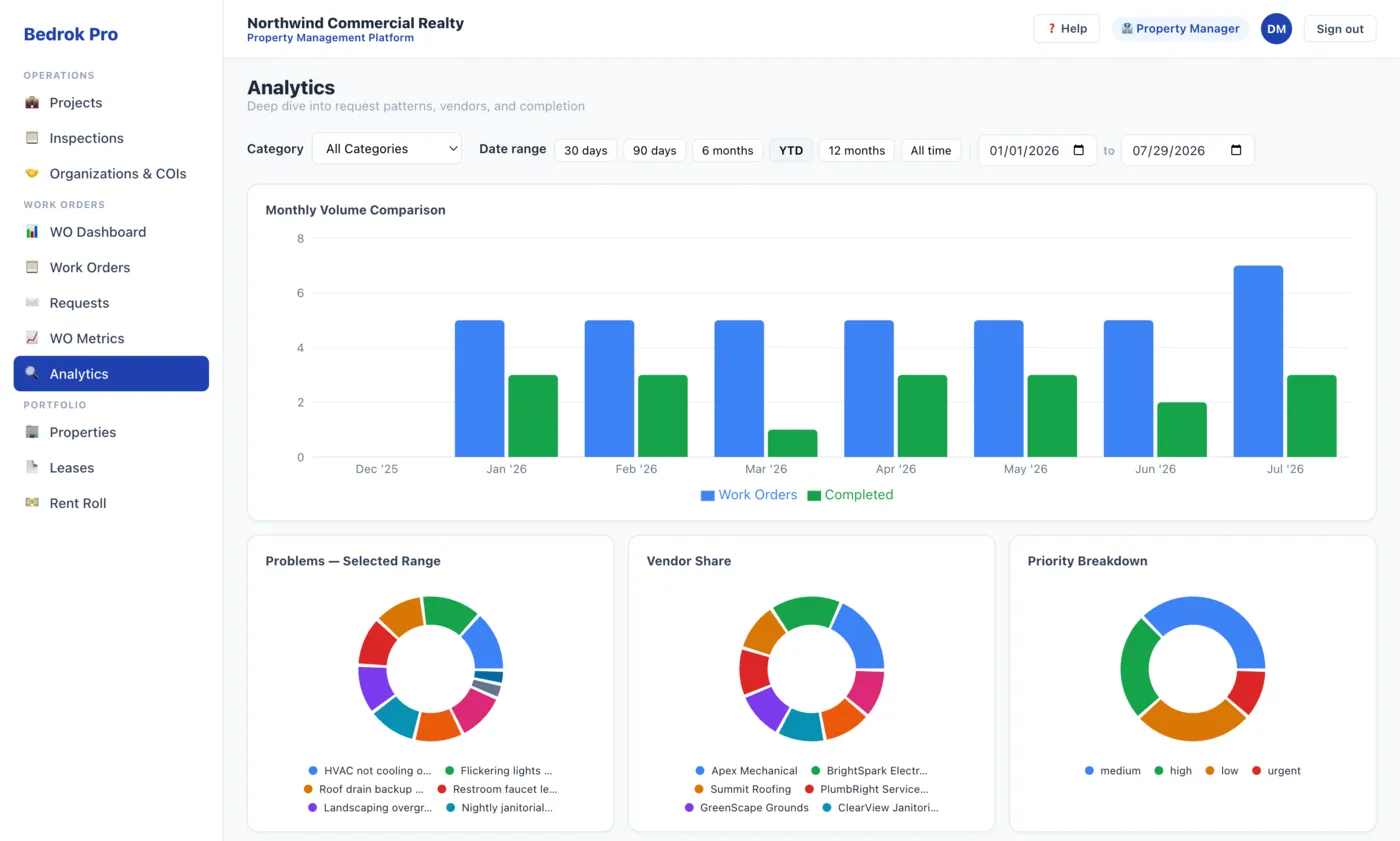
Month-over-month volume, priority and problem breakdowns, completion-rate trends, and 30/60/90-day overlays — so you can tell a one-off spike from a real pattern.
- Current vs. prior period overlays
- Problem categories tracked across the year
- Completion-rate trend lines you can act on
Everyone sees exactly their slice.
Purpose-built roles — admin, property manager, tenant, vendor, and branch-scoped bank roles — scoped by category, property, or branch and enforced at the data layer, not hidden in the interface.
- Property Manager — the full portfolio, users, imports, and categories
- Tenant and Vendor — only the requests and work orders that are theirs
- Bank Requestor — branch-scoped intake, with each client isolated by row-level security
Sign in the way your team already does.
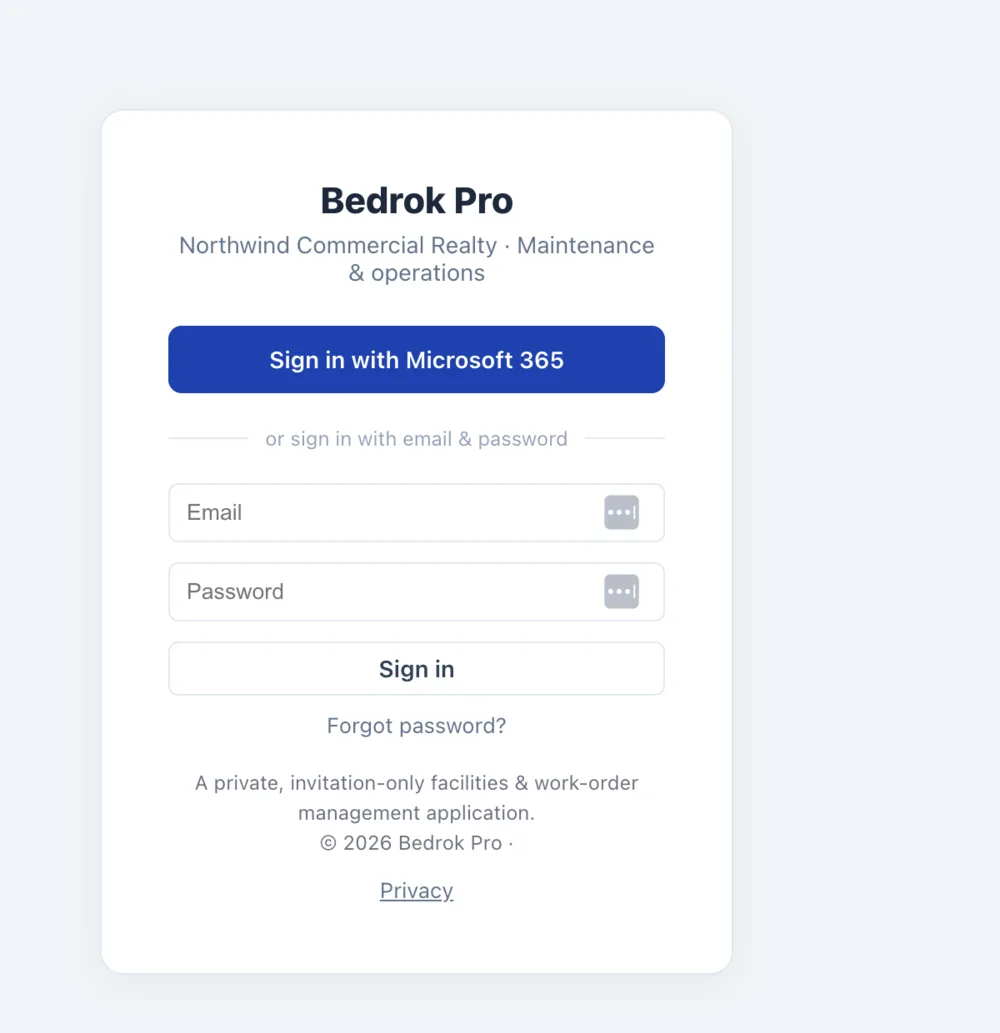
Microsoft 365 / Entra ID single sign-on for directory users — no separate password, with the login method chosen automatically by email domain. External and third-party users get secure, invite-based accounts you control.
- Microsoft 365 / Entra ID single sign-on, plus email and password where there's no directory
- Invite, assign role + category, revoke in one place
- Per-tenant data isolation and an append-only audit log, built on SOC 2-oriented practices
Usable from the field, not just the office.
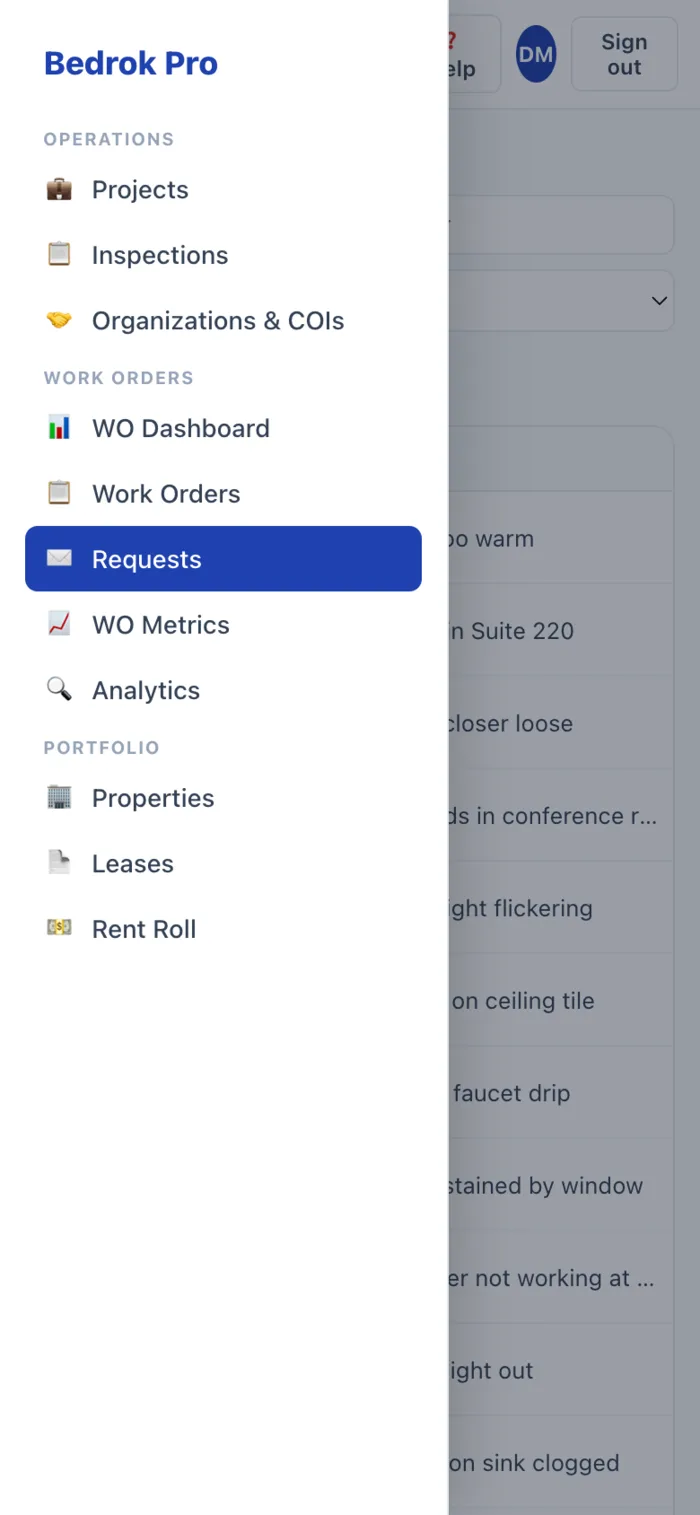
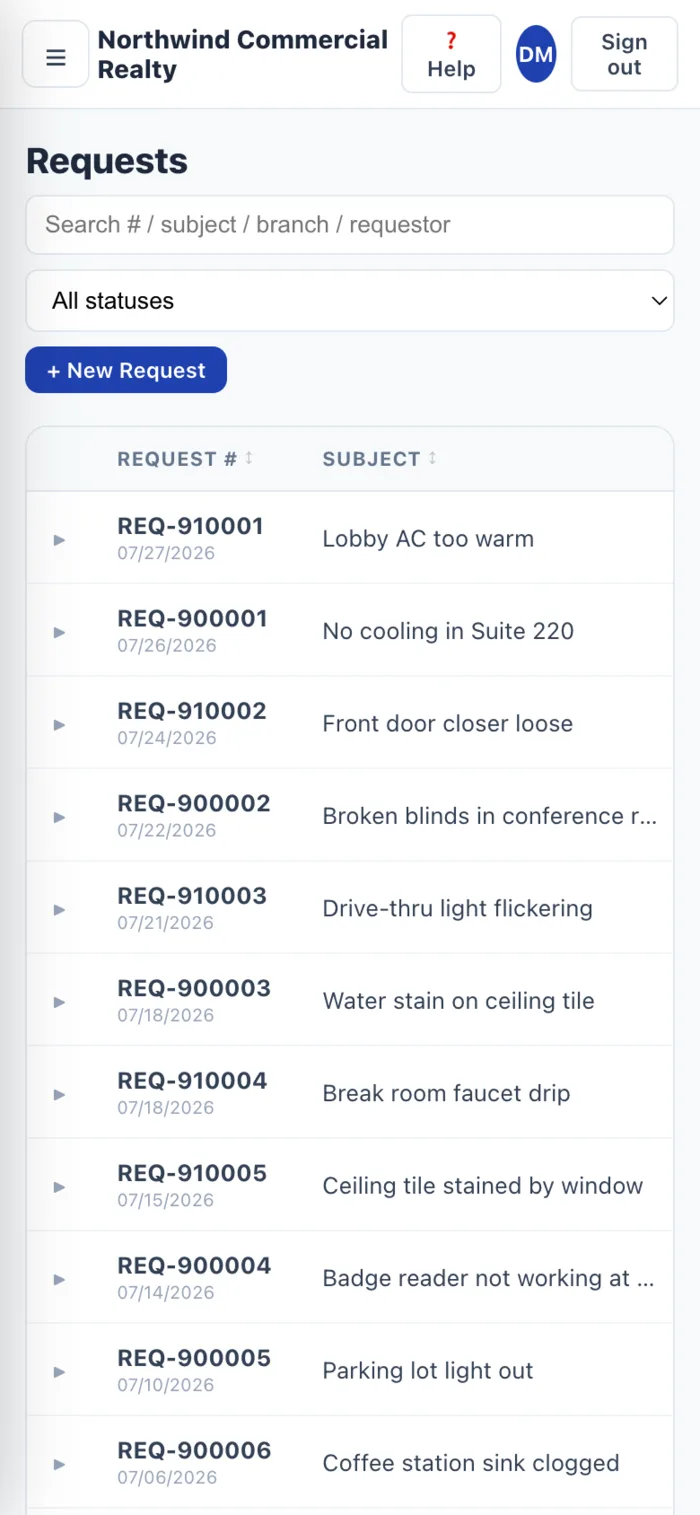
The interface is mobile-responsive, so branch staff and requestors can submit an issue with photos, and managers can check what's open, without being at a desk. Drawer navigation and scrollable tables keep the common tasks within reach.
A responsive web app — nothing to install from an app store.
Ready to see it on your data?
Bring a month of work orders. We'll show you your portfolio, live.